What is a backpack producer?

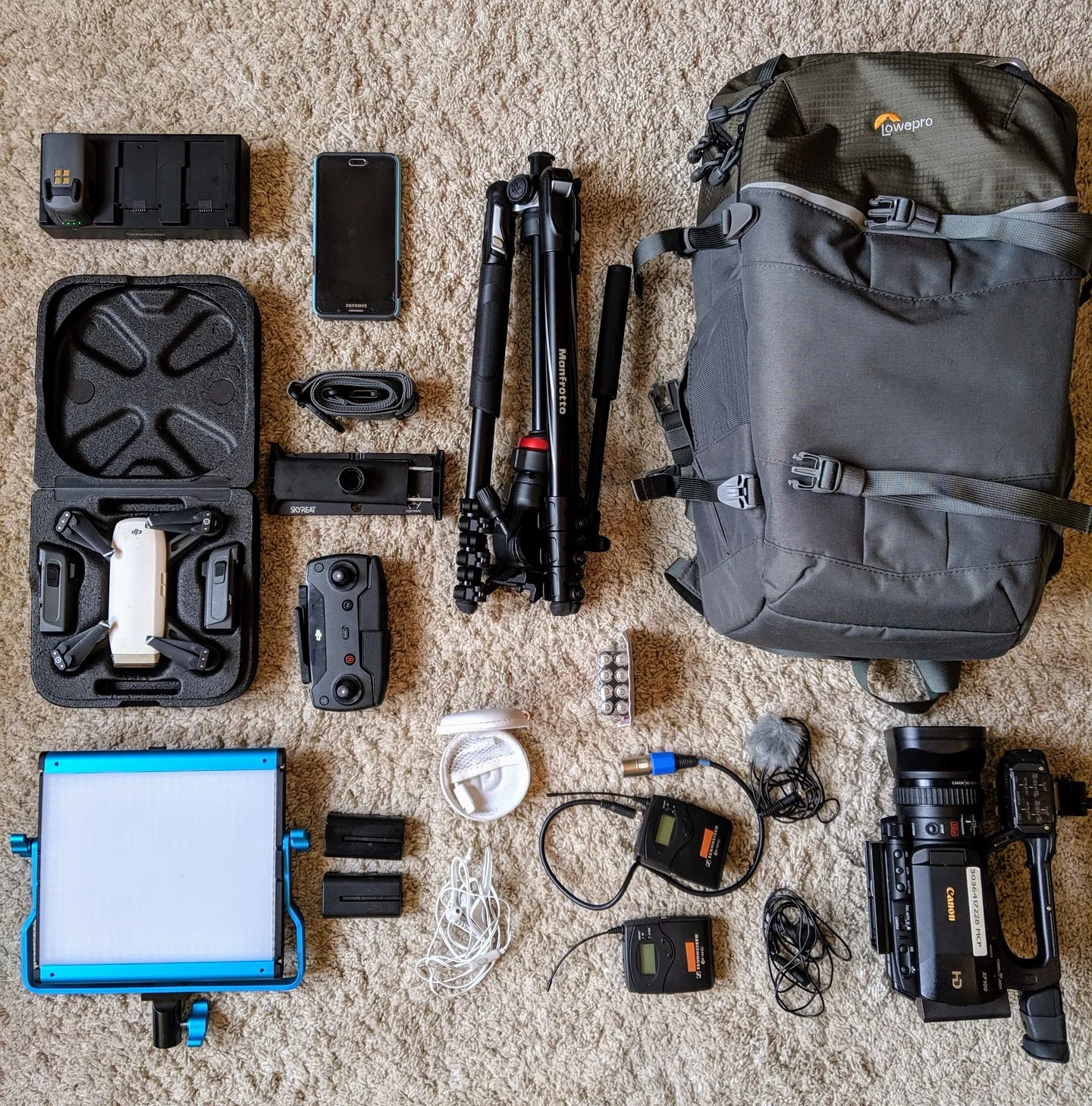
A backpack producer is a term used to describe a producer who is able to work on a film or video production with minimal equipment and a small team. The term “backpack” refers to the idea that the producer is able to carry all the necessary equipment in a backpack, allowing them to be mobile and work in a variety of settings without the need for large crews or expensive equipment.

A backpack producer is typically someone who is able to handle multiple roles on a production, such as producer, director, and camera operator. They may have a small team of assistants, but are able to handle many aspects of the production themselves. This type of producer is often found in independent film productions or smaller-scale video productions, where budgets are limited and there is a need for flexibility and mobility.

The term “backpack producer” has also been used to describe a new breed of digital content creators who produce content primarily for online platforms like YouTube, Instagram, or TikTok. These producers are able to create content quickly and inexpensively using a variety of portable devices, such as smartphones or small cameras, and often work independently or with a small team.

Producer’s son, Mo, jumping for joy!

What is Crazy Wisdom?

Crazy wisdom is a term used in some Eastern spiritual traditions to describe a type of spiritual realization characterized by unconventional and seemingly irrational behavior. It is believed that individuals who have attained crazy wisdom have achieved a deep understanding of the true nature of reality and have broken through the limitations of the ego and the intellect.

Crazy Wisdom book cover by Chogyam Trungpa
Crazy Wisdom by Chögyam Trungpa

In some traditions, crazy wisdom is associated with enlightened masters or spiritual teachers who exhibit unconventional or seemingly bizarre behavior as a way of challenging their students’ preconceptions and helping them to see beyond their ordinary ways of thinking. This behavior may include acts of defiance, irreverence, or even apparent insanity, and is believed to be a way of pointing students toward a deeper understanding of reality.


Examples of Modern Crazy Wisdom

  • Using humor or absurdity to challenge traditional beliefs or perspectives
  • Using seemingly irrational or counterintuitive methods to achieve goals or solve problems
  • Embracing paradoxes or contradictions as a means of transcending dualistic thinking
  • Using shock or surprise to disrupt habitual patterns of thought or behavior
  • Using playfulness or irreverence to subvert conventional wisdom or authority

It is important to note that the concept of crazy wisdom is often controversial and subject to interpretation. What might be seen as crazy wisdom by some people may be seen as foolish or inappropriate by others.

While the concept of crazy wisdom is often associated with Eastern spiritual traditions, it has also been adopted by some Western spiritual seekers and has influenced certain movements within contemporary spirituality.


Is Drunken Master an Example of Crazy Wisdom?

Drunken kung fu does really exist — moves using lurching movements and falling have been incorporated into Shaolin kung fu, for instance — although it is not a style in its own right and does not actually involve alcohol. I have always seen this film as a modern representation of the concept of crazy wisdom, which can be enjoyed by contemporary audiences.


To See Beyond Ordinary Ways of Thinking

Drunken Master is a 1978 Hong Kong martial arts comedy film directed by Yuen Woo-ping, starring Jackie Chan, Yuen Siu-tien, and Hwang Jang-lee. The film was a breakthrough for Chan and helped establish him as a leading actor in the Hong Kong film industry.

In the film, Chan plays Wong Fei-hung, a talented martial artist and the son of a famous doctor. Wong is trained in the “Drunken Fist” style of kung fu, which involves pretending to be drunk in order to throw off an opponent’s balance and timing. Initially reluctant to use his skills, he is eventually forced to defend himself and his family against a group of villains trying to steal a valuable treasure.

What examples of crazy wisdom can you share? Please leave your thoughts in the comments below.

How To Be a Productive Creative

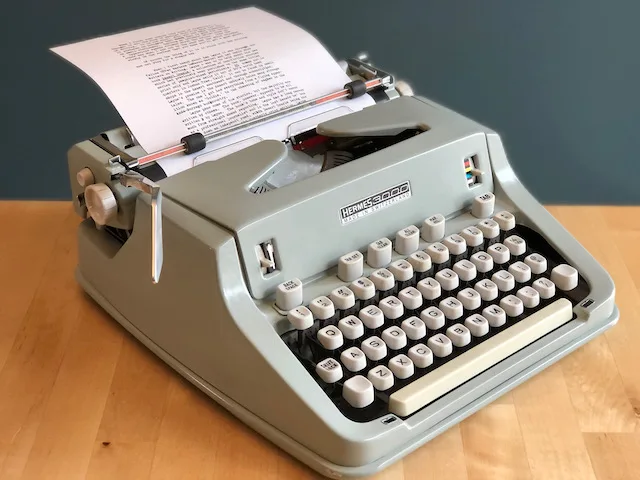
I am reminded of how artists develop methods to create their work.  In 1991, I was at Paramount Studios working as an office production temp and a director’s assistant to Bruce Robinson, who was in the completion stages of his script “Jennifer Eight.”  The film had yet to receive a green light from the studio.  Robinson was grappling with making required changes and script rewrites.  Since he was the type who banged scripts out with a typewriter, I was hired because I knew how to use a computer and scriptwriting software like Final Draft, which was new on the market. 

Robinson’s script style was a challenge to reformat and update.  Besides justifying the left margin with a simple carriage return, the right margin was filled with misspellings, unnecessary spacing, and other things to maintain a clean line on that side.  Later, he would reveal how he enjoyed repairing antique Swiss watches.  There wasn’t a need to justify the script’s right margin, but as he explained, it helped him focus on the creative process.  Perhaps the system and methods I outlined in this post about making a documentary are similar to mine in that regard.  As I’ve always said, find what works for you and let it become your muse.

Better Be Brilliant!

Better Be Brilliant!

BRUCE ROBINSON – SCREENWRITER, DIRECTOR

For those unaware of Robinson’s work, he is arguably most famous for writing and directing the cult classic “Withnail and I” (1987). The film possesses comedic and tragic elements, and is set in London in the late 1960s, where Robinson revisited his youthful experiences as a “chronic alcoholic and resting actor, living in squalor.”

My Father the Astronomer – Peter S. Conti

Peter Selby Conti, PhD

September 5, 1934 – June 21, 2021

Peter Selby Conti departed during summer solstice from injuries sustained in an auto accident in his hometown, Longmont, Colorado.

Conti studied the spectra, mass loss and evolution of the large variety of massive stars, in particular O-type and Wolf-Rayet stars. This led to the famous “Conti scenario” that describes the evolutionary connections between the different types of massive stars. He also discovered a new class of galaxies — so-called “Wolf-Rayet galaxies” — which are interacting galaxies with a recent short-duration starburst.

When I look at your heavens, the work of your fingers,
    the moon and the stars that you have established;
what are human beings that you are mindful of them,
    mortals that you care for them?
Yet you have made them a little lower than God,
    and crowned them with glory and honour.

— Psalm 8

Early Life

Peter Selby Conti was born on September 5, 1934, in White Plains, New York to Marie and Attilio Conti. He was an only child but enjoyed the company of many cousins and other relatives in the extended families of his parents. His mother was an elementary school teacher and his father was a career businessman.

Peter Conti as a child with friend in Valhalla NY 1943
Valhalla, NY — Peter S. Conti (left) and Allan Newcomb — 1943

As a young boy Peter was an avid reader of science fiction. The stories fueled his imagination, allowing him to travel beyond his surroundings and the world. His interest in astronomy deepened when his aunt Jean — his mother’s sister, herself interested in astronomy — gave him a small telescope for his 10th birthday.

SEEING FIRST LIGHT was a living tribute in 2002 to my father. For me, there was something special about having a father whose job it is to study the heavens. His love of work made a big impact on my own career — not just the stars of Hollywood but the stars of mystical knowledge.

Peter attended Briarcliff High School where he was a member of the chorus and starred in a play during his senior year. He enjoyed chess and invented, together with friends, an advanced 4-level chess game. Many years later he was amused to find that “their” game had been rediscovered and was commercially marketed by a major firm.

Peter Conti and Charles Anderson with their four-dimensional chess game 1952
Briarcliff, NY — Peter Conti (left) and Charles Anderson with the four-dimensional chess game they invented and built — 1952

Education and Military Service

After graduation in 1952, Peter received a Regent’s Scholarship from the State of New York and entered the Rensselaer Polytechnic Institute in Troy, New York. Professor Robert Fleischer and a visiting professor from Harvard encouraged his interest in astronomy, and Peter became president of the school’s astronomy group. In May 1956 he graduated with a Bachelor of Science degree in physics.

After receiving his bachelor’s degree, Peter began three years of military service with the U.S. Navy. He was stationed aboard the USS Finch, a destroyer escort, first based in Seattle, Washington and then in Pearl Harbor, Hawaii. He served as an operations officer and attained the rank of Lieutenant Commander. His tour of duty took him from patrols near the Aleutian Islands in the north to Guam in the south.

Ensign Peter Conti off Diamond Head Honolulu Hawaii 1958
Honolulu, Hawaii — Ensign Peter S. Conti off Diamond Head — 1958

During his Naval service, Peter narrowly escaped death while climbing the 6,300-foot Chair Peak in the Cascades range of the Pacific Northwest. While leading a roped ascent, he slipped only 200 feet from the summit and fell 100 feet, landing near the edge of a massive drop-off. Though injured, he walked for six hours before meeting a rescue team, who then carried him on a stretcher for three more hours to a road and transport to a local hospital.

Injured mountain climber Ensign Peter Conti on stretcher North Bend Washington 1957
North Bend, WA — Ensign Peter Conti recovering after a 100-foot fall near Snoqualmie Pass summit — September 9, 1957

Academic Career

In 1959 Peter enrolled in the graduate program for astronomy at the University of California, Berkeley, where he became George Wallerstein’s first PhD student. In 1961 he married J. Carolyn Safford, and in 1963 he obtained his PhD with the dissertation “The atmospheres of metallic-line stars in the Hyades star cluster.” From 1963 to 1966 he was a research fellow at Mount Wilson and Palomar Observatories (California Institute of Technology, Pasadena), where he worked with and was inspired by Jesse Greenstein.

His talent for innovative research showed early: in 1965 he discovered a new class of sharp-lined early-A-type stars with peculiar abundances, resembling those of the metallic-line stars. This major breakthrough inspired new theoretical ideas for the origin of abundance anomalies in A-star atmospheres.

Dr Peter Conti PhD portrait University of California Berkeley 1963
Berkeley, CA — Dr. Peter S. Conti receives his doctorate in astronomy from the University of California — September 1963

In 1966 he became staff astronomer and assistant professor at Lick Observatory of the University of California, Santa Cruz, a position he held until 1971. In Santa Cruz and later in Boulder, Peter and Carolyn hosted many dinners and gatherings of astronomers — both visiting and local — at their home.

“The atmosphere was usually exciting; one could almost see sparks of light released as ideas and academic references sped about the room. The creative energy was amazing.”

— Carolyn Conti

Peter’s early research interests were metallic-line stars and peculiar A stars, and the abundances of Li and Be in stars of different types. In 1969 Wallerstein and Peter co-authored a landmark review article about these light elements in stars for Annual Reviews of Astronomy and Astrophysics.

In 1969–1970, supported by a Fulbright fellowship, Peter was a visiting professor at Utrecht University in the Netherlands, where he worked with Anne Underhill, a specialist on the spectra and atmospheres of hot stars. His family joined him and his children attended Dutch schools. Here his interest shifted from A-type stars to massive hot stars — a field in which he would become one of the world’s foremost research leaders.

In 1971 he began innovative research with William Alschuler on the properties of massive stars. The spectral sub-types of O-type stars were quantized through measured line strengths, rather than eye estimates. They showed that the ratio of helium line strengths could be used to determine effective temperatures of O-types through calculations from model stellar atmospheres.

That same year he was offered a position at the Joint Institute for Laboratory Astrophysics (JILA) and a full professorship in the Department of Astrophysical, Planetary and Atmospheric Sciences (APAS) at the University of Colorado in Boulder. He would later serve as chairman of both JILA and APAS. He formally retired as a professor at the University of Colorado in 1996 but remained actively involved in astronomy until his untimely death.

Throughout his career, Peter proposed and led observing programs at the major ground-based observatories in Chile, Hawaii, and the US, and with the Hubble Space Telescope, to unravel the evolution of massive stars.

Dr Peter Conti in Hollywood California 1991 photo by Michael M. Conti
Hollywood, CA — Dr. Peter S. Conti — Photo by Michael M. Conti — 1991

The Conti Scenario

One of Peter’s most remarkable traits was his talent for identifying new research areas where major advances in understanding could be made by applying clever observing techniques. Together with many students and postdocs, Peter launched a series of observing programs to disentangle the evolution of O-stars and Wolf-Rayet stars. He collaborated with international colleagues — observers and theorists alike — studying the connection between mass loss and stellar evolution. This large group became known as “the O-star mafia,” with Peter as “Godfather.” The group met every few years at conferences such as the Boulder-Munich workshops and the “IAU beach-symposia” to discuss rapid progress in the field and plan follow-up observations.

In 1975 this work led to the famous “Conti scenario” for the evolution of massive stars — describing the evolutionary connections and properties of the many subtypes of O-stars and Wolf-Rayet stars, including their luminosities, temperatures, atmospheric chemical composition, and the resulting supernova types. Peter presented this scenario at a conference in Liège, Belgium in 1975, where he was awarded the Gold Medal of the University of Liège.

In 1977 he spent a sabbatical as guest professor at the Universities of Amsterdam and Utrecht. In 1993, on the occasion of the 350th anniversary of astronomy at Utrecht University, he was awarded an honorary doctorate degree — with Henny Lamers as honorary promotor — “in recognition of his important contributions to our understanding of the physics and evolution of massive stars.” In 1995–1996 he returned to Utrecht for six months as a Minnaert Guest Professor.

In 1990 Peter turned his attention to “Wolf-Rayet galaxies” — galaxies whose integrated spectra show the broad emission feature at 4686Å commonly attributed to HeII emission from Wolf-Rayet stars. A major observational program, conducted in collaboration with many colleagues, revealed that nearly all are galaxies with recent, enormous, short-duration starbursts. This work was summarized in the graduate-level textbook From Luminous Hot Stars to Starburst Galaxies (Conti, Crowther and Leitherer, 2008 and 2012).

Peter described his own work as follows:

"My research deals with understanding the nature and evolution of massive luminous stars, those of the hottest spectral types. These are primarily O-type and Wolf-Rayet stars found in the Galactic plane and in other galaxies. In starburst galaxies, the numbers of these stars are sufficient that they may be detected collectively, even in those objects at very large redshift. I am currently emphasizing photometry and spectroscopy of luminous stars in our Galaxy in the near infra-red, at about two microns, where the absorption of the intervening Galactic dust is low."

Conti-fest

Peter retired from JILA in 1996. In 2008 he was celebrated with “Conti-fest” — a 4-day workshop entitled Hot Massive Stars: A Lifetime of Influence — held at the Lowell Observatory in Flagstaff, Arizona, organized by his former graduate students Kelsey Johnson, Margaret Hanson, and Phil Massey. National and international colleagues, former students, and postdocs gathered to pay tribute to the godfather of the O-star mafia.

During his career Peter served on many national and international organizations and committees, often as chairman:

  • 1980–1986: Chair, Department of Astrophysical, Planetary and Atmospheric Science (LASP), University of Colorado
  • 1983–1986: Chair of the Board, Association of Universities for Research in Astronomy (AURA)
  • 1988–1991: President, Commission 29 “Stellar Spectra,” International Astronomical Union (IAU)
  • 1989–1990: Chair, Joint Institute for Laboratory Astrophysics (JILA), University of Colorado

Between 1971 and 2001 he supervised nine PhD students and a number of postdocs at the University of Colorado, many of whom went on to hold important research positions.


Minor Planet Conti

Peter is represented in the sky: in 2019 the International Astronomical Union officially named minor planet 25961 “Conti.”

Minor Planet 25961 Conti is approximately 4.5 kilometers — about 2.79 miles — in diameter. It sits about 2.6 astronomical units from the sun, between Mars and Jupiter, and takes just over 4 years to complete one orbit, traveling in a nearly circular path.

Since 2018, Peter has been featured on the Albert Nelson Marquis Lifetime Achievement website in recognition of his outstanding contributions to science.


A Giant Has Fallen

Peter’s desire for exploration continued well into his retirement. He and Carolyn enjoyed many diverse travels during this time — living in Maui for a while, making trips to Europe and Russia to renew friendships, and exploring the South Pacific and the Eastern Canadian Arctic.

Carolyn and Peter Conti in Maui Hawaii 2003
Maui, Hawaii — Carolyn and Peter Conti — 2003

Part of one summer was spent camping on the land with Inuit friends near the Arctic Circle.

Carolyn and Peter Conti at sea dress-up party with Inuit sculptures collage 2002
Eastern Canadian Arctic — Inuit sculptures and Carolyn and Peter at an at-sea dress-up party — 2002

He will be remembered with admiration as a friendly and modest man by his students and colleagues, many of whom became good friends with his family.

Peter S. Conti is survived by his wife Carolyn, his three grown children Michael, Karen, and Kathe, and seven grandchildren.

Thank you to Henny J.G.L.M. Lamers and Ed P.J. van den Heuvel for writing and providing so many wonderful words and descriptions of Peter’s professional life.


Obituary

Peter’s obituary has been published by the American Astronomical Society and the International Astronomical Union.

International Astronomical Union — Peter Conti Member Page

Bulletin of the American Astronomical Society — Obituary


Memorial Service


Legacy Continues

Toast to Peter lunch Bilthoven Netherlands January 2023
Bilthoven, Netherlands — “A Toast to Peter” lunch. Left to right: Trudi, Henny, Michael, Ed, AnneMike — January 2023

Self-Distribution if you do the work

Over Half of Independent Films Get a Theatrical Release, but Few Make Money There

(Indiewire Sept. 29, 2019)

  • Nominal releases (35.3%): movies that have theatrical release dates, but reported no box office figures. This could happen when a filmmaker rents a theater to show their movie to a small audience, for example.
  • Small releases (8.1%): movies that reported grosses up to $100,000
  • Large releases (17%): movies that reported grosses over $100,000
  • The remaining 39.6% of films indexed got no theatrical release, though may have premiered at a theater or played in film festivals. Others were released straight to streaming platforms.

“You should accept the fact that you can get there, but do not expect to make money on your theatrical release.” –

Bruce Nash, The Numbers
Note the irony that Avengers Endgame was opening right same night on April 25, 2019

Before considering Self-Distribution

  • Make a film that people will want to see (seriously!)
  • Test screen to audiences, respond to their feedback
  • Meet all cinema standards, i.e. professional audio mix
  • Market for placement in a crowded film market with a compelling title and poster art

“If you thought making the film took a long time, getting your film properly monetized takes 4 times longer.” 

Michael M. Conti, Filmmaker

Disclaimer: Our approach worked for a 70 minute inspirational doc, not narrative or dramatic feature.

Note that the game changer from Netflix, ROMA, was playing on the big screen too.

Results after Self-Distribution

  • Sixty-one theatrical screenings in 20 cities in 7 states within one year, 2 in the UK.
  • Thirty-one screenings in one month alone! #EarthMonth
  • Over five thousand paying audience members experienced the film in theaters or other venues
  • Net income from each tour covered expenses for travel, rentals and marketing costs.
  • Monetizing the film justifies the initial costs to make the film
  • Learn from your audience, make another film!
  • See your movie listed on the marquee!

Getting ready in Post Production

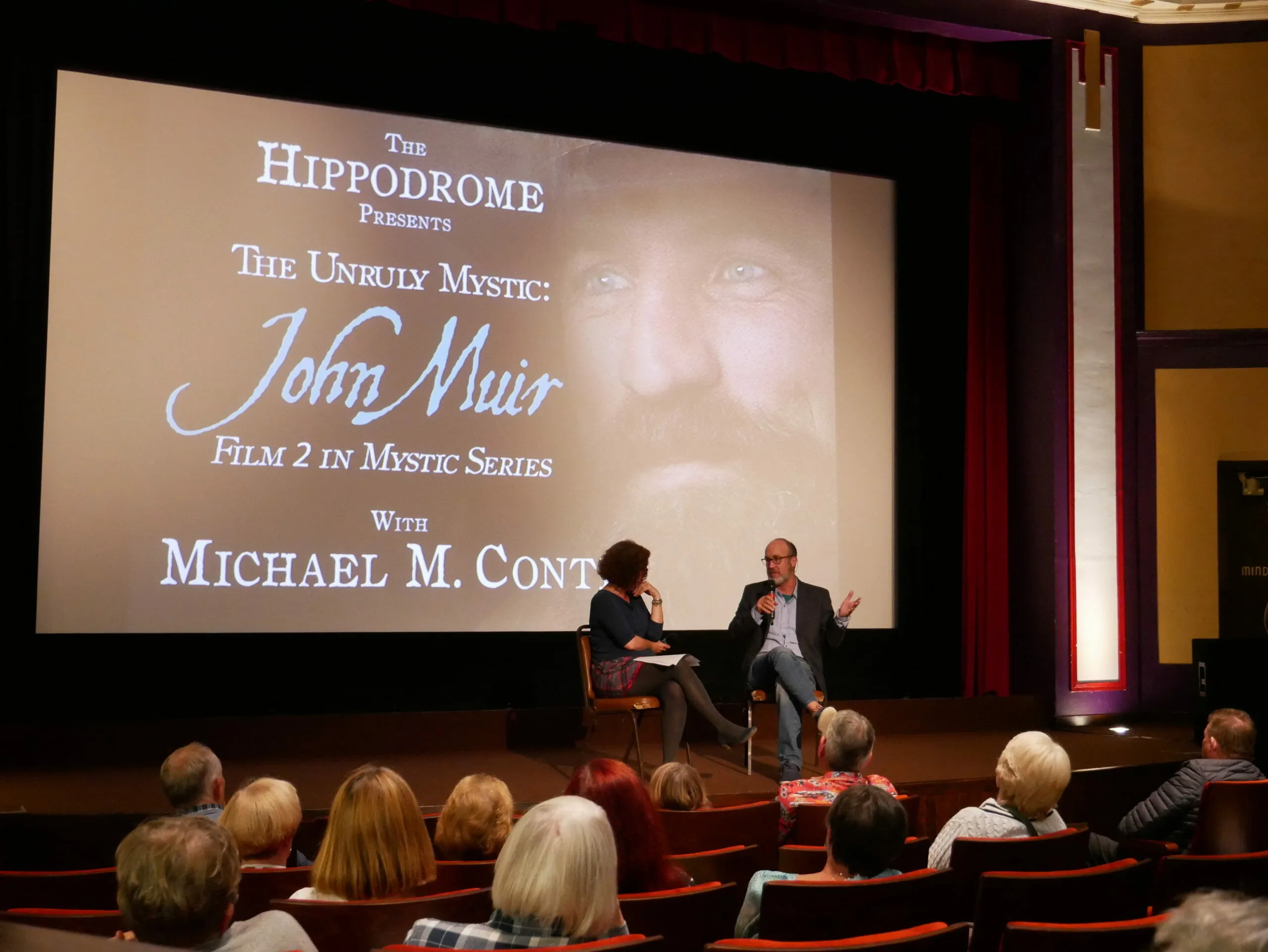
Today, I can see the summit. I envisioned the final result of “The Unruly Mystic: John Muir” on the first day of principal photography in May 2015. I would spend 18-months interviewing people and traveling throughout the US and Canada. After three months of editing, I could see the film’s outline above the trees.

Organization is not the opposite of creativity — it is what makes creativity possible under pressure. The system described here began with a color on a piece of paper and ended with a finished documentary. The tools Adobe Premiere Pro provides are exactly that: tools. What gives them meaning is the organizational thinking you bring to them before you open the software.

There were multiple steps taken to achieve this editing milestone.  I will explain my process and approach to encourage others with their filmmaking projects by providing specific details.  There are many articles and books available on the editing process, but I want to share what worked for me.

I will focus on what happens after filming has been completed. This post primarily addresses the editing process rather than production.  It also requires a working understanding of Adobe Premiere and will help you understand it as a database tool rather than a visual means to edit video.

example-multicamera
Multi-camera monitor

Information is readily available on how to capture great shots and sound using a two-camera setup.  To assist with the editing process, it is essential to ask your interview subjects the same questions so you’ll have a variety of responses on one topic.

Defining Your Topic of Interest

2016-11-25-09-42-22
Michael’s notebook

First I asked each subject to share their favorite John Muir story and suggested one when Muir climbed a tree during a thunderstorm.  In doing so, I could retell the story  using multiple narrators.  This approach was also useful with other questions, which is why you should establish the focus of your film before production begins.  I wrote an outline on the topics I thought would be relevant and kept it with me throughout filming and editing.

Since I work with Adobe Premiere Pro (PrPro),  I know from previous documentary productions that I don’t want to edit interview sequences in their original MXF* files.  I have experienced instances where an original file was corrupted or “lost” that ruined an entire sequence when I was ready to export it.  This step allows me to keep the “original” files off-site while working with a facsimile of the original footage.  Each file became a new MXF by exporting a sequence after importing the original files.  *MXF is the output for a 1.9 GB video file when shooting with a Canon XF 100.

Footage preparation

I re-import the facsimile MXF files, create a multi-camera edit, and then add a timecode to the sequence. It isn’t necessary to edit back and forth between the cameras during this step of the editing process.  You need one camera angle (preferably front) and the best audio file to begin exporting but in a lower resolution to upload the file online with an embedded timecode for an H.264 file.

Transcription

The H.264 file is the resource for the next step. I didn’t have the luxury of using this when making my previous documentary. This involves creating a transcription of the interviews in a Word file based on the timecodes.  There are multiple businesses that provide this service and I was happy with the one I chose. On average, prices are roughly $100 for an hour of footage and billed by the minute. The benefits are worth the expense based on the variety of ways you can use the transcriptions.

Colored Topics

The following process is one that I created and worked best for me.  Once I had the transcriptions,  I reviewed each document with different color markers.  I had previously outlined the topics, assigning them different colors.

2016-11-25-14-19-40
Transcription Binder

By implementing the idea of hearing the John Muir tree story retold multiple times, I would highlight that section. There could be multiple themes I was following and I would do the same for those.

Interview Sequence Marking

After I went through the 15-page document, I would open the multi-cam sequence in PrPro and mark each beginning point for the timeline topic.

I would also copy and paste from the Word file the specific transcription sentence or paragraph into the marker’s description.  I would also color code the marker to match the highlighter for future reference in the sequence.  Next, I would place a cut at the marker in-point and another at the end of the edit. The clip would be nested with the same description from the transcription.

The Matt Fox timeline looked like the following:

Sequence with color markers in place

Descriptive nested sequence and themed topic bin

After creating a descriptive nested sequence, I could drop the file into a bin for similar topics.  Ideally, you want a manageable number of bins for the nested sequences.  Once in their bin, I made sure the nested sequences had a uniform color (i.e. green for forest) so I would know if I had used the clip after creating a new sequence for a rough cut.  Once I used the clip in the new sequence, I would return it to the project folder from the edited sequence with a smartkey I made (Alt+D). I would change the color to red (rose).  While PrPro can reveal clips that are being reused in a sequence, it won’t do the same for nested sequences.

example-bin
Topic Bin before changing labels based upon usage in the edit

While I didn’t create descriptive nested sequences into specific bins until I completed my interviews, you can do this after each interview but it’s important to be open to the entire spectrum of the interview footage. This helps you refresh your memory by reading the transcriptions and highlighting the essential dialogue related to your chosen topics.  This is  important when interviewing several people overover a long period.  If the interviews are short and few, you can start earlier.  I had one hour of footage for each of the 15 interviews.

Now that I have my nested descriptive sequences into their bins, I can select those sequences and make a new sequence for editing.  I like to know who is speaking (thumbnails are not available with nested sequences), so I would go through the clips and assign a color to each speaker. I could also randomly place the clips so that no two clips followed in the same color.

Because the topic was similar, there was no harm in doing this as I could move the clips when I started editing.  This process would lead to new discoveries while editing.

example-sequence1
Edited sequence showing label colors per speaker and descriptive mouse-over

I noticed each bin consisted of 10 minutes of material from 20 clips. I treated each sequence as a separate film — I could watch the sequence, move the clips to improve the flow, and clean up the dialogue at the in and out points at the original nested sequence.  Ideally, you should do this in the edited sequence, but I didn’t always have access to the visual cue of the waveform on a particular sequence without rendering it again.

Conclusion

With a new sequence created with this process, I could start editing on the themed topic bin. I knew I had the relevant descriptive nested clips in one bin, so I could find where I took that clip in the original interview by reviewing the descriptive markers on the sequence.  I designed a method that noted which clip was used and could double click any nested clip to open the descriptive nested sequence to access each individual multi-cam edit. This was helpful in cutting back and forth between two cameras to improve dialogue edits after I decided on my final edit.

Now the magic of editing was underway.

Adventures in a Tree, The Unruly Mystic: John Muir Movie Trailer (Published April 19, 2018)

Final clip from the mixed and cinema ready film.


A Student Guide to the Documentary Workflow

The following section reframes the process described above as a step-by-step instructional guide for students learning Adobe Premiere Pro. It is drawn directly from the production of The Unruly Mystic: John Muir and the classroom presentation that followed.

Everything described on this page started with a color on a piece of paper. That color became a label in Premiere Pro, which became a bin, which became a story. The system you build before you edit is what lets you tell the story while you edit.

Why This Matters Before You Start Editing

When you’re editing a short project — a class assignment, a music video, a week of footage you still remember clearly — you can hold most of it in your head. That stops working entirely once you’re dealing with 16 hours of interview footage spread across 8 subjects, each answering the same questions in slightly different ways. Without a system, you spend more time searching than editing. The six steps below are the system that solved that problem on a real feature-length documentary — and they scale down to any project with multiple subjects or extended footage.


Step 1: Build Your Framework Before You Shoot

The workflow starts before the camera rolls. Asking every interview subject the same core questions isn’t just good interviewing — it is an organizational decision. When every subject answers the same questions, you can later collect all their responses to the same question and cut them together, building a narrative thread from multiple voices without hunting through hours of footage to find it.

For The Unruly Mystic: John Muir, every subject was asked about their personal connection to nature, how they experienced the outdoors, and their relationship to John Muir’s writing. Eight people answering the same questions, often using the same words, became the structural backbone of the entire film.

Before any interview project: decide your questions and assign a color to each one before you shoot. Consistent questions create consistent structure. Consistent structure makes your edit faster and your story clearer.

Step 2: Assign a Color to Each Topic — On Paper First

Each interview question or topic was assigned a specific color in a physical notebook before anything touched Premiere Pro. Green for Who is John Muir, purple for connection to nature, orange for personal experience in the wild. Every response to every question, across every subject, would eventually carry that color — in the transcript, in the clip labels, and in the bins inside Premiere.

Deciding the color system on paper first means your organizational decisions are creative and intentional, not reactive. When you are deep in an edit and tired, you do not want to be inventing a system. You want to be using one you already built.

Note on Premiere Pro label colors: In current versions of Premiere Pro, you can customize label color names under Preferences > Labels. Rename each color to match your project’s topic system — so instead of “Mango” or “Iris” you see “Connection to Nature” or “Personal Story.” The color system becomes self-documenting inside the software itself.

Step 3: Transcribe Your Footage — Then Color-Code the Transcript

Every interview was transcribed with timecode included. Having a written transcript with timecode serves two purposes: you can read the content without watching the video, which is significantly faster, and you can highlight the transcript with your color system — marking each answer with the color assigned to that question — before you open Premiere. The result is a color-coded paper edit of the entire project sitting in a binder.

When the transcription was first produced on John Muir, it cost approximately $100 per hour of footage. AI transcription tools have since changed this significantly — current tools can transcribe an hour of footage in minutes at little or no cost. The tradeoff is accuracy: AI makes mistakes, especially with proper nouns, overlapping speech, and technical terms. You still need to review the transcript by listening. Use AI as a starting point, not a finished product.

The timecode advantage: when your transcript includes timecode, reading a sentence tells you exactly where that moment lives in the footage. You can read the transcript, highlight what matters, note the timecode, and go directly to that moment in Premiere — without scrubbing through hours of raw footage to find it.

Step 4: Import the Color System into Premiere Pro

Once the transcripts are color-coded, bring that system into Premiere. Cut each interview clip at the In and Out points identified from the transcript timecodes, and apply the matching label color to each segment. Then drop a marker at the start of each segment, open the marker dialog by double-clicking, and paste the transcribed dialog directly into the marker’s notes field.

The result: hovering your mouse over any marker in the timeline shows you exactly what the person is saying at that moment, without playing the clip. On a 16-hour project with 8 subjects, this single technique saves hours of review time over the course of the edit.

  1. Cut your interview clip at the In and Out points identified from the transcript timecodes.
  2. Right-click each segment and apply the matching label color from your pre-production color system.
  3. Drop a marker at the start of each segment using the M key.
  4. Double-click the marker to open the dialog and paste the transcribed dialog into the notes field.
  5. Repeat across every subject. Every clip in your project now speaks the same color language.

Step 5: Build Selects Sequences and Themed Bins

Once clips are labeled, two parallel structures in Premiere make it possible to navigate the project at any scale.

Selects Sequences: For each interview subject, build a single sequence containing only the segments worth keeping — your selects. This is a pre-edit of each person’s interview, stripped of everything already decided not to use. When building the actual film, you pull from selects rather than re-reviewing hours of raw footage. On John Muir, each subject’s full hour of footage became a selects sequence of roughly 10 minutes of usable material.

Themed Bins: Create a bin for each topic — one for green clips, one for purple clips, and so on. Copy or move every labeled clip into the bin that matches its color. When you need every person’s answer to the same question, go to that bin and everything is already collected. You are not searching. You are choosing.

Tracking clip usage: once a nested sequence clip has been used in the edit, change its label to red (rose). While Premiere Pro can reveal reused clips in a sequence, it does not do the same for nested sequences automatically. The color change is a manual but reliable way to know at a glance what has been used and what hasn’t.

Step 6: Protect Your Original Footage

Before editing begins, export the raw camera footage to a high-resolution archive format and keep the originals on a dedicated, off-site hard drive. On John Muir, footage was lost early in production due to how files were initially imported and managed. The workaround — exporting working copies and archiving originals separately — became standard practice for the rest of the production.

With 18 months of interview footage across 15 subjects, losing even one session means losing time, money, and a moment that can never be reshot. Treat original files as irreplaceable from day one. Two copies in two locations is the minimum. Three is better.


The Full Pipeline at a Glance

StepWhat You’re DoingWhy It Matters
1. Question FrameworkAsk every subject the same core questions before shootingCreates a structural backbone you can cut across multiple voices
2. Color SystemAssign a color to each topic on paper before opening PremiereEnsures organizational decisions are intentional, not reactive
3. TranscriptionTranscribe footage with timecode, then color-highlight the transcriptRead your footage instead of watching it — dramatically faster
4. Labels + Marker NotesApply color labels to clips and paste dialog into marker notesHover any marker to see what’s being said — no playback needed
5. Selects + BinsBuild selects sequences per subject, themed bins per topicAll footage for one topic is always in one place — no searching
6. Archive OriginalsExport working copies, keep originals off-site before editingFootage that cannot be reshot must be treated as irreplaceable from day one

Organization is not the opposite of creativity — it is what makes creativity possible under pressure. The system described here began with a color on a piece of paper and ended with a finished documentary. The tools Adobe Premiere Pro provides are exactly that: tools. What gives them meaning is the organizational thinking you bring to them before you open the software.

Awakening wisdom through documentary film and publishing since 2014.